How to Download Torrent Files Directly to Your PC (No Torrent Client Needed)
Skip uTorrent and qBittorrent entirely. Learn how to download torrent files directly to your PC using cloud torrent sites like ZbigZ, Seedr, and Bitport.io — with a full comparison, step-by-step guide, and pro tips. Tested & 100% Working.
 ATH Team
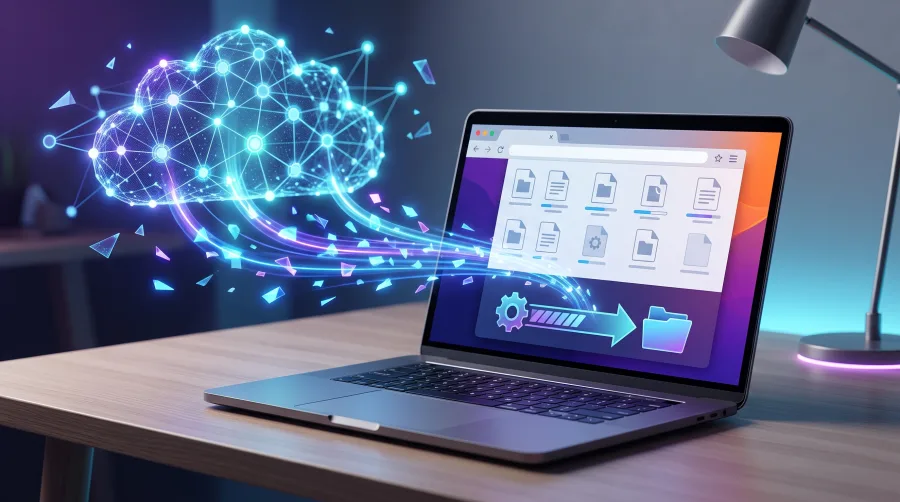
Tired of installing uTorrent or qBittorrent just to grab a single file? Good news: you can download torrent files directly to your PC using nothing but your browser. Cloud torrent services fetch the torrent on their servers, then hand you a direct HTTP download link. No client, no port forwarding, no ISP throttling headaches. We tested the top platforms — here's everything you need to know.
What Is Cloud Torrenting (And Why Use It)?
Cloud torrenting sites act as a middleman. You paste a magnet link or upload a .torrent file, their servers download the data at high speed, and you then download the finished file straight to your PC like any normal browser download. The benefits are real:
- No software install — works on locked-down school or office PCs.
- ISP can't see P2P traffic — your connection only shows a standard HTTPS download.
- Faster on dead torrents — their servers often have cached copies already.
- Works on any device — PC, mobile, even a Chromebook.
Best Torrent Download Sites Compared (2025)
We tested every major player. Here's the honest breakdown:
| Service | Free Storage | Max File Size (Free) | Speed | Verdict |
|---|---|---|---|---|
| ZbigZ | Limited | ~1 GB | Capped on free tier | The classic, but showing its age |
| Seedr | 2 GB (expandable) | 2 GB | Excellent | Best free option overall |
| Bitport.io | 1 GB | 1 GB | Good | Clean UI, streaming support |
| Offcloud | Trial only | Unlimited (paid) | Excellent | Best for power users |
| Premiumize | None | Unlimited (paid) | Excellent | All-in-one premium suite |
ZbigZ: The Veteran
ZbigZ is the name most people know, and it still works — paste a magnet link, wait for caching, download. But the free tier is heavily restricted: slow speeds, small file limits, and constant upsell nags. It's fine for a quick one-off file, but regular users will hit walls fast.
Seedr: Our Top Pick
Seedr gives you 2 GB free out of the gate, and you can bump that higher through referrals. Speeds are genuinely fast, magnet support is instant, and it even streams video files before downloading. For most users, this is the ZbigZ alternative that actually delivers.
Bitport.io & Offcloud
Bitport.io is slick and browser-friendly with built-in antivirus scanning, though the 1 GB free cap is tight. Offcloud skips the free tier entirely but supports hundreds of sources beyond torrents — worth the subscription if you download heavily.
How to Download Torrent Files Directly: Step-by-Step Guide
Follow our simple step-by-step guide using Seedr (the process is nearly identical on ZbigZ and Bitport):
- Copy your magnet link — right-click the magnet icon on your torrent source and copy the link address.
- Open Seedr's official site and create a free account (email only, 30 seconds).
- Paste the magnet link into the URL bar at the top of your dashboard and hit Enter.
- Wait for caching — popular torrents finish in seconds; rare ones take a few minutes.
- Click the file in your Seedr storage to download it directly to your PC at full browser speed.
- Extract and Play — if it's a ZIP or RAR, unpack it with WinRAR or 7-Zip and you're done.
Pro Tips for Faster, Safer Downloads
- Check seeder counts first. Cloud services still need at least one active seeder for uncached torrents.
- Use a download manager like Free Download Manager to resume interrupted direct downloads.
- Scan everything. Run files through Windows Defender or VirusTotal before opening — no exceptions.
- Free tier full? Delete cached files from your cloud storage after downloading to reclaim space.
Is This Legal and Safe?
Cloud torrenting is simply a technology — what matters is what you download. Stick to legal content: Linux ISOs, open-source software, public domain media, and Creative Commons releases (check Creative Commons licensed content for legit free media). Downloading copyrighted material without permission is illegal in most countries, full stop. On the safety side, these services are actually safer than traditional clients since your IP never touches the swarm — but always scan downloaded files before running them.
Frequently Asked Questions
Is ZbigZ still working in 2025?
Yes, ZbigZ still works, but its free tier is heavily limited — expect speed caps and a ~1 GB file size limit. Seedr is the better free alternative with 2 GB storage and much faster downloads.
Can my ISP see what I download through cloud torrent sites?
Your ISP only sees a standard HTTPS connection to the cloud service — not the torrent swarm itself. The P2P activity happens entirely on the service's servers.
Why is my torrent stuck at 0% on Seedr or ZbigZ?
The torrent has no active seeders, and the service doesn't have it cached. Try a different torrent with a healthy seeder count, or wait and retry later.
Do I need a VPN with cloud torrent services?
Not for the torrenting itself, since your PC never connects to peers. A VPN is still smart general practice, but the direct download is already encrypted via HTTPS.
Can I download torrents larger than the free storage limit?
No — the full torrent must fit in your cloud storage before you can download it. Either upgrade to a paid plan or pick a torrent under your limit.
Bottom line: Skip the client entirely. For most users, Seedr's free tier is the fastest, cleanest way to download torrent files directly to your PC — Tested & 100% Working. Bookmark this guide and check back at AllTypeHacks for more no-nonsense tutorials.

Comments (0)
No comments yet. Be the first to start the discussion!